Free volume profile for NinjaTrader 8
A volume profile shows how much traded at each price instead of at each moment. It reveals where the market accepted price (heavy volume) and where it rejected it (thin volume).
In NinjaTrader the full Volume Profile is part of the paid Order Flow+ package. This indicator is free and calculates the value area the way Sierra Chart or TradingView do, your choice.
- 100% free
- Open source (MIT)
- Built by El Trader Financiado for the community
Version 1.0 beta · NinjaTrader 8 · .zip to import · also in the pack of all 8
Install one language only: if you switch between English and Spanish, delete the ElTraderFinanciado folder first (Documents\NinjaTrader 8\bin\Custom\Indicators).
What the indicator draws
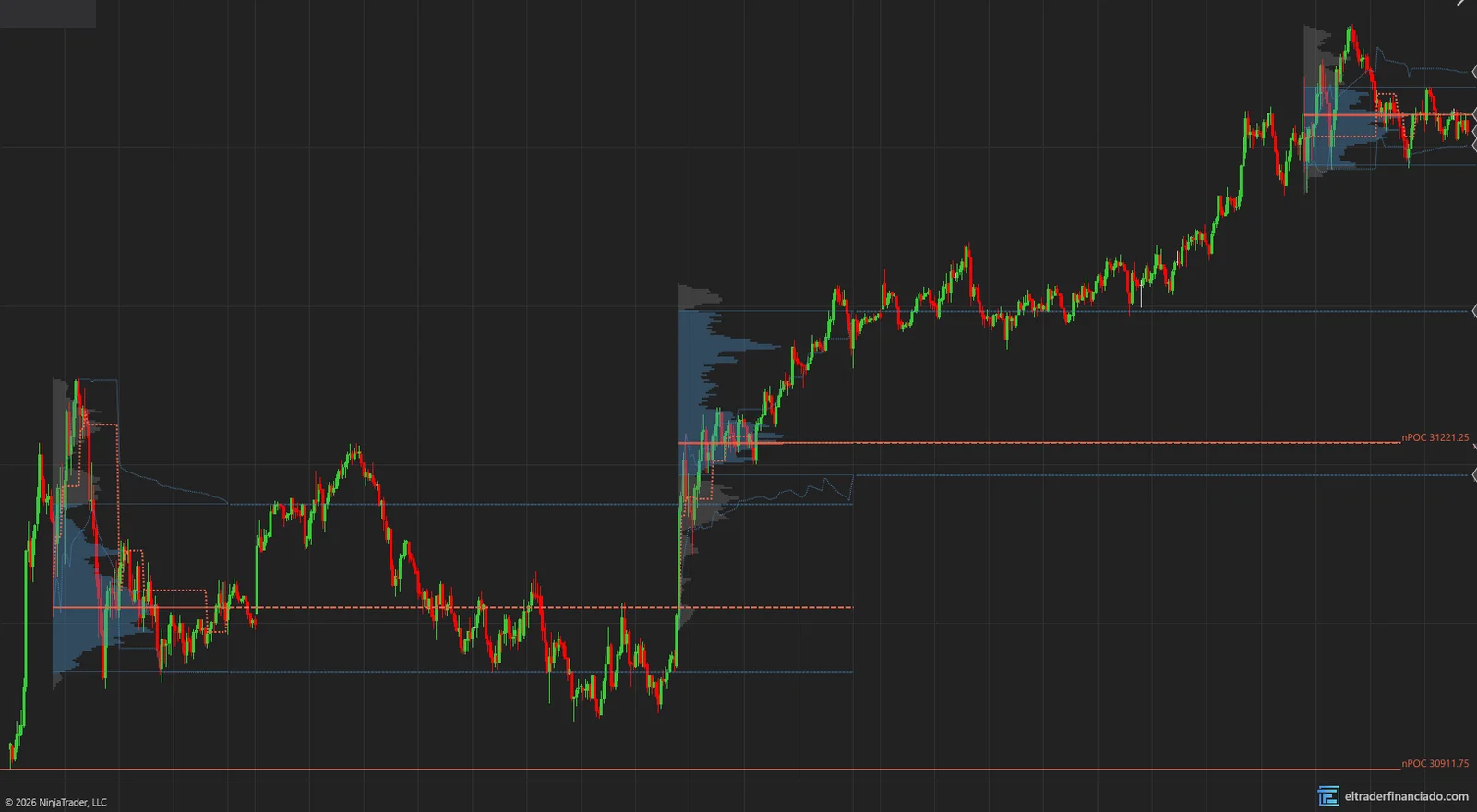
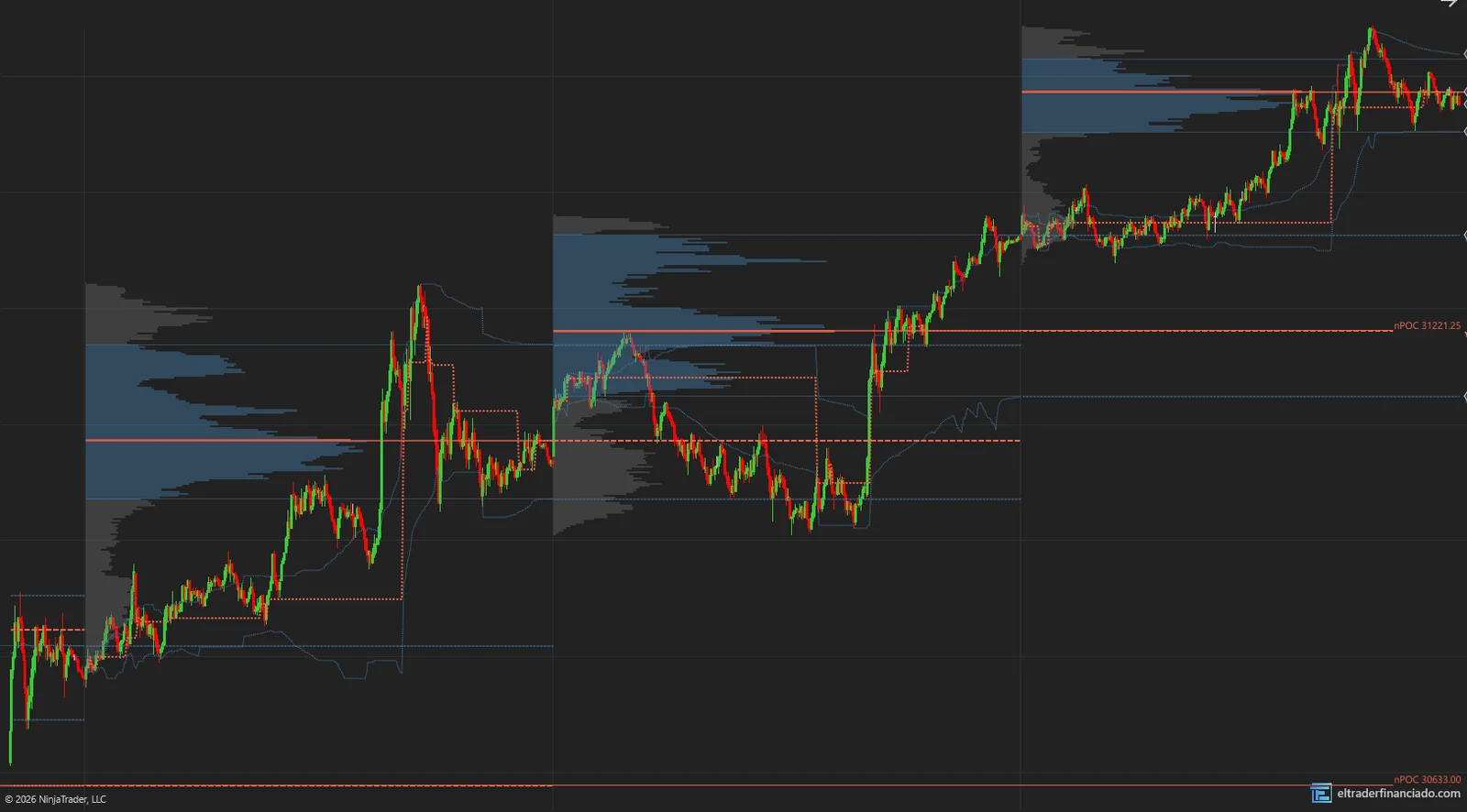
- One profile per session with POC (highest-volume price), VAH and VAL (top and bottom of the 70% value area).
- Developing POC, VAH and VAL of the current session, updating live.
- Previous profile levels (pPOC, pVAH, pVAL) and naked POCs from the last 10 sessions.
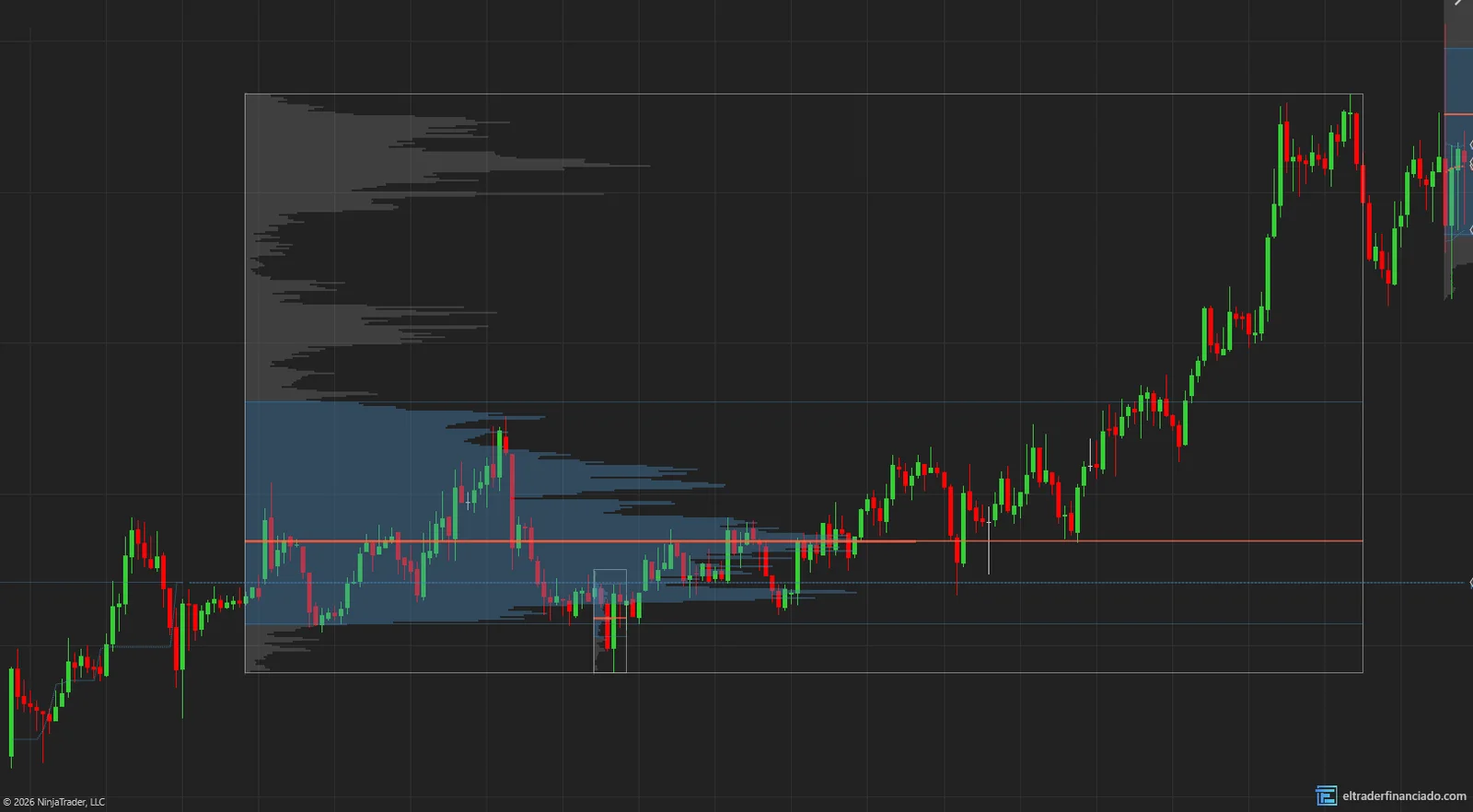
- Fixed ranges: Ctrl + click two bars to draw the profile of just that stretch.
- Optional: HVN/LVN nodes, Initial Balance with extensions and a multi-day composite profile.
What volume profile is
A volume profile is a horizontal histogram: each row is a price and its length is the volume traded there. It comes from Peter Steidlmayer's Market Profile work at the CBOT in the 1980s.
Read the full guide: what it is, rule-based strategies and common mistakesHow to trade volume profile
A summary of the most common uses. Entry, stop and target rules are in the guide.
Open inside the value area
When the day opens inside yesterday's value area, rotation inside it is the norm.
The 80% rule
When price opens outside the value area and gets back in, it often travels the whole area.
Naked POCs as magnets
A POC price hasn't revisited is a heavy-volume level waiting to be retested.
What the evidence says
The volume profile describes where trade happened; it doesn't predict. The "80% rule" is a Market Profile trader heuristic with no public studies backing that percentage.
Key settings
| Setting | Default | What it does |
|---|---|---|
| Profile period | Auto | RTH, Full (ETH + RTH), Split, Week or Month. |
| Value area (%) | 70 | Share of volume in the value area. |
| Value area method | Sierra | Sierra, TradingView or CBOT. |
| Show HVN/LVN nodes | Off | High and low volume zones. |
| Show Initial Balance | Off | First-hour range with extensions. |
| Composite profile | None | Profile of the last N days or the visible range. |
How to install ETFVolumeProfile in NinjaTrader 8
- 1
Download the .zip and don't unzip it.
- 2
In NinjaTrader 8, from the Control Center: Tools → Import → NinjaScript Add-On… and pick the .zip.
- 3
Accept and wait for it to compile. If you had an earlier version, allow it to overwrite.
- 4
On the chart: right-click → Indicators… → ElTraderFinanciado folder.
Frequently asked questions
Do I need Tick Replay or Order Flow+?
No. The profile is built from 1-second bars, which work with the free license and with delayed data.
Why doesn't the POC match another platform?
It depends on the period (RTH or full session) and the value area method. Pick "TradingView" in the settings if you compare against that platform.
How do I delete a fixed range?
Ctrl + Shift + click the range.
Trying it in a futures prop firm?
We have discount codes for the main evaluations. They are affiliate links: we earn a commission if you buy through them.
More free indicators
VWAP
FreeSession, weekly and monthly VWAP with bands, previous-day VWAP and anchored VWAP with Alt + click.
Session Levels & Killzones
FreeICT killzones, Asia/Europe/US sessions, PDH/PDL, cash open and close, and liquidity sweeps.
These indicators describe what price has done; they don't predict what it will do and they are not investment advice. Only trade futures with money you can afford to lose.