Command Center: free journal, Track Record and Guardian for NinjaTrader 8
Free add-on for NinjaTrader 8: automatic journal, Track Record, risk Guardian and your prop firm's rules in one window. No sign-up, no subscription.
We've released the Command Center, a free tool for NinjaTrader 8. It brings together, inside the platform, everything you need for your evaluations and funded accounts: your trading journal, your Track Record, a risk Guardian and the rules of each account. And it tells you at all times how much room you have left before each of your firm's rules.
No paid version, no subscription and no sign-up.
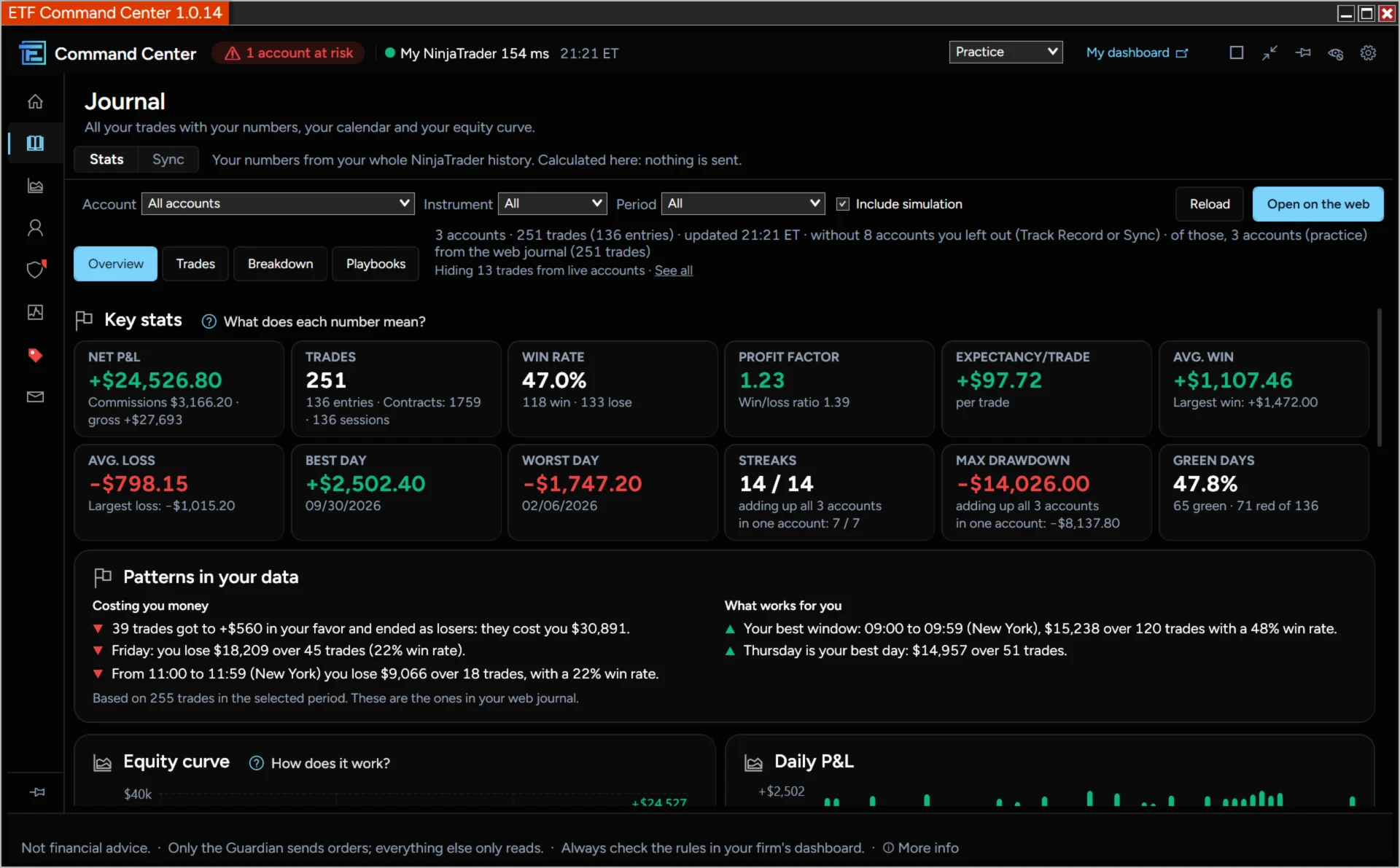
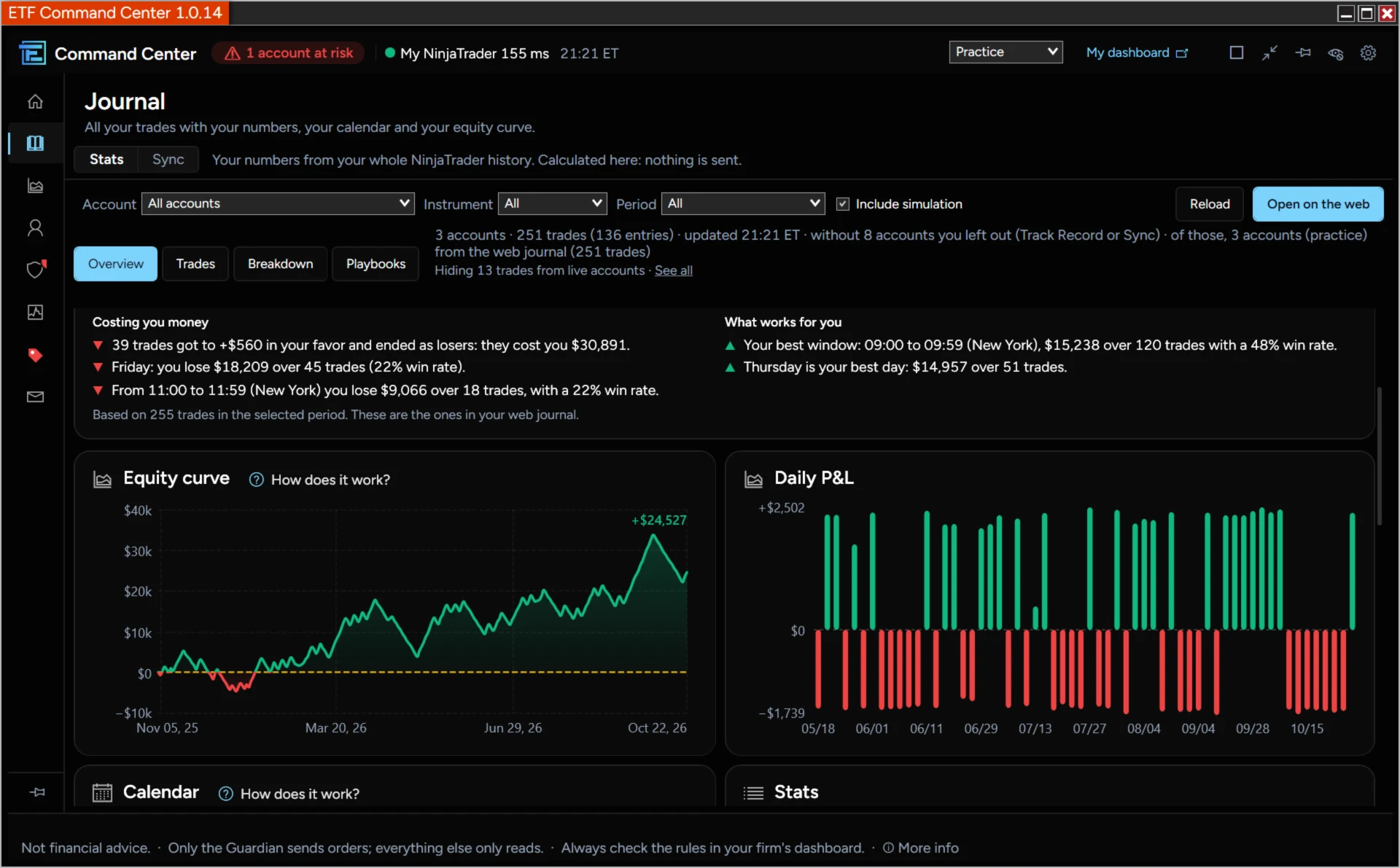
Journal: your trading journal, no spreadsheet needed
It reads the history NinjaTrader already keeps and turns it into stats, calculated on your PC. Connect your web journal with one click and your trades arrive on their own.
- Key figures: P&L, win rate, profit factor, expectancy, streaks and drawdown
- Equity curve, P&L per day and a calendar with your note of the day
- Breakdown by instrument, side, day of the week, hour and account
- What your mistakes cost you, in dollars
- Every trade with its detail: playbook, mistakes, tags and note
- Playbooks with their rules, and whether you follow them or skip them
- Exits: what you capture and what you leave on the table (MAE/MFE)
- Recognizes the same entry copied across several accounts
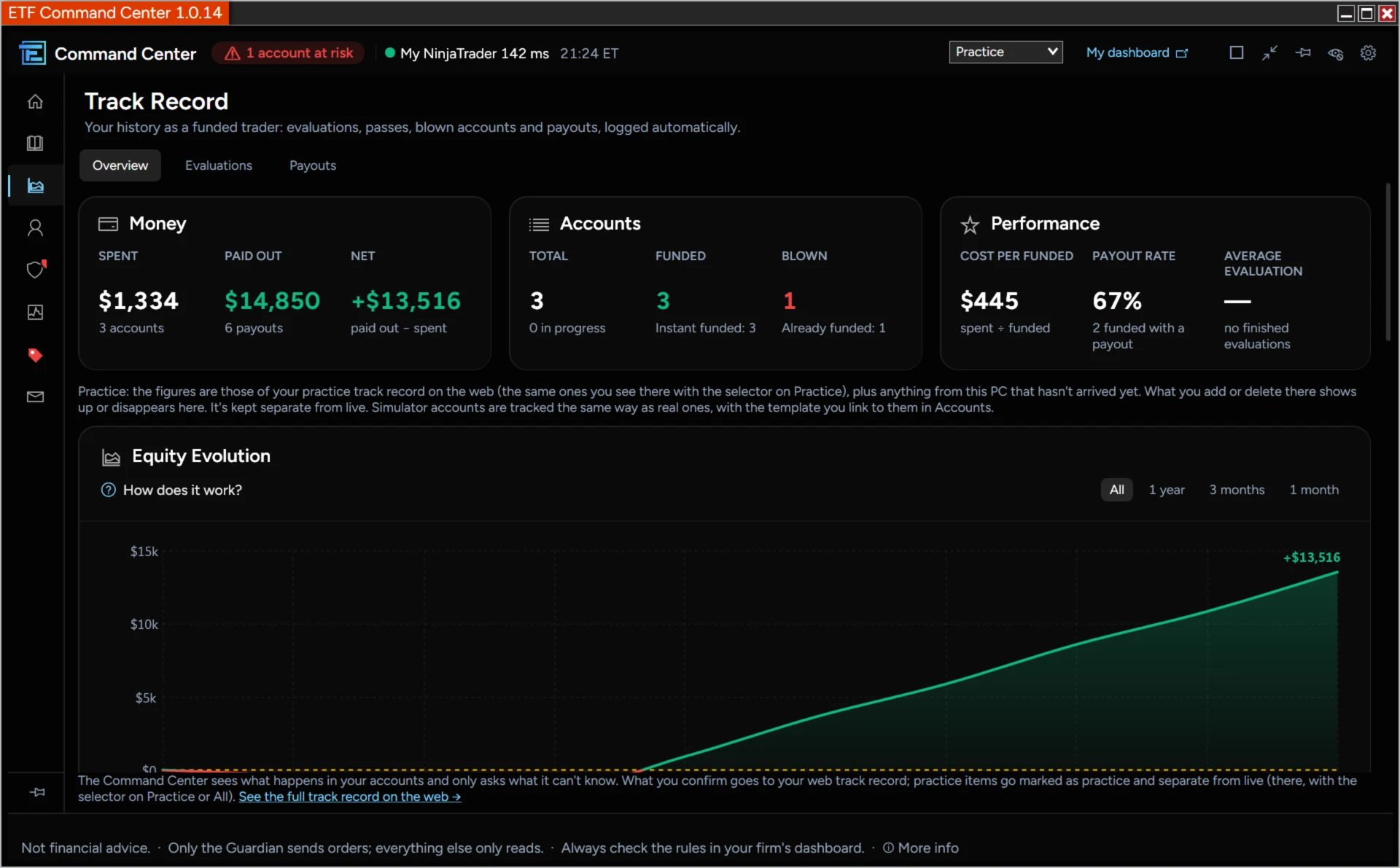
Track Record: are prop firms actually paying off for you?
It keeps track of what you spend on evaluations and what you collect in payouts. It spots purchases, blown accounts and payouts on its own, and only asks what it can't know, like how much you paid.
- What you've spent, what you've collected and your net
- What each funded account costs you and your payout rate
- The funnel: from evaluation to funded to payout
- Activity calendar and summary by firm
- Reads the receipt of a purchase or a payout (screenshot or PDF)
- Export it to CSV whenever you want
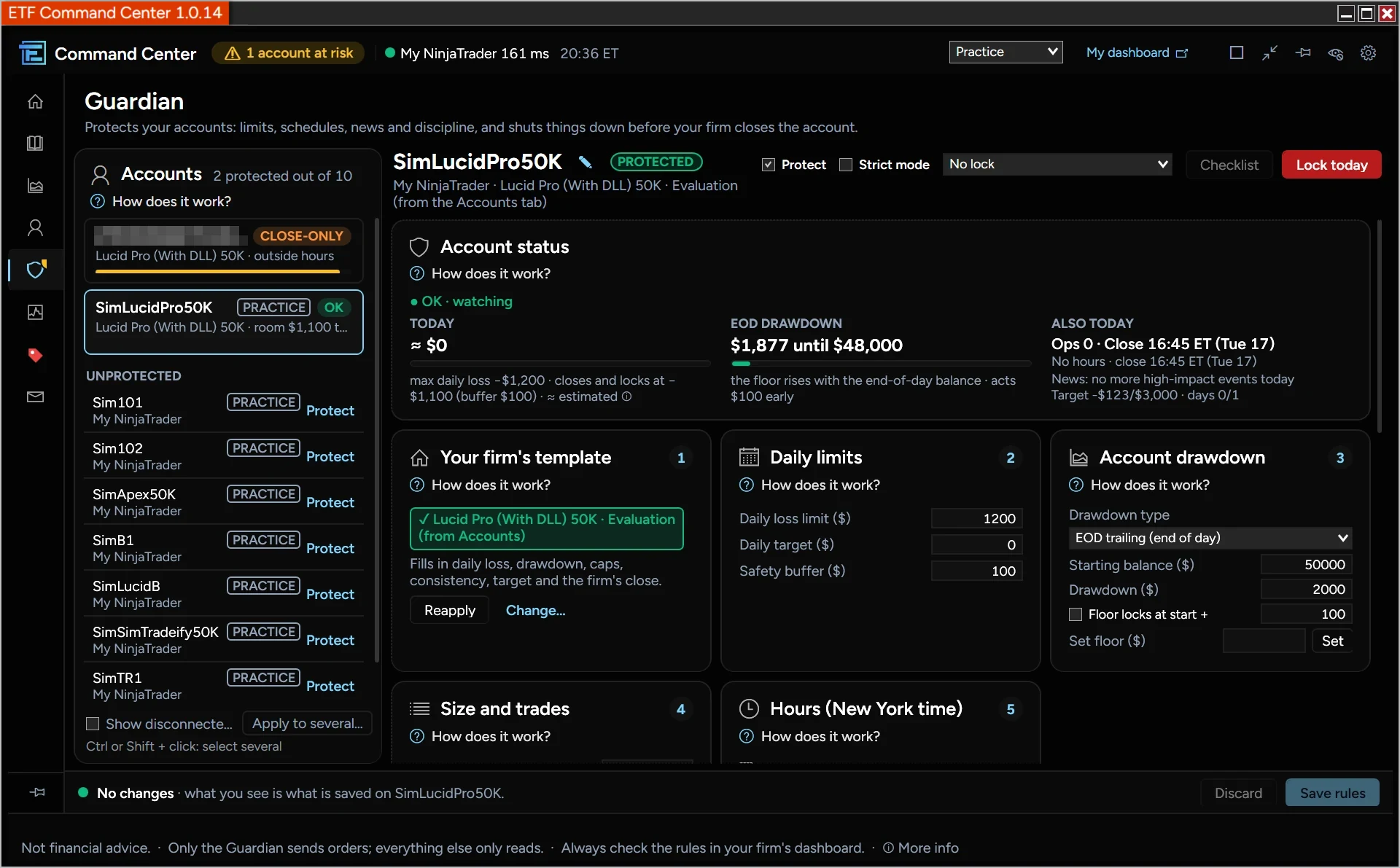
Guardian: a Guardian that protects you from yourself
If you hit a limit, it closes your positions and locks the account until the next session, before your firm does. It's the only part of the Command Center that sends orders, and there is no «alert only» mode: if you hit the limit, it closes.
What it watches:
- Maximum daily loss and drawdown (static, intraday trailing or end-of-day)
- Contracts (minis and micros) and trades per day
- Your firm's trading hours and mandatory close, with holidays
- High-impact news: no entries before and after
- Discipline: consecutive losses, a pause after a loss and a mandatory stop
- Loss per trade and weekly loss
- Consistency: the best-day cap and the cycle target
- Checklist before opening a position
And when you need to stop: Lock today with one click, Strict mode (the lock can't be removed and anything you loosen waits until tomorrow) and a padlock that stops you from touching the rules for a while. The same rules apply to several accounts at once.
Accounts: your firm's rules, always in sight
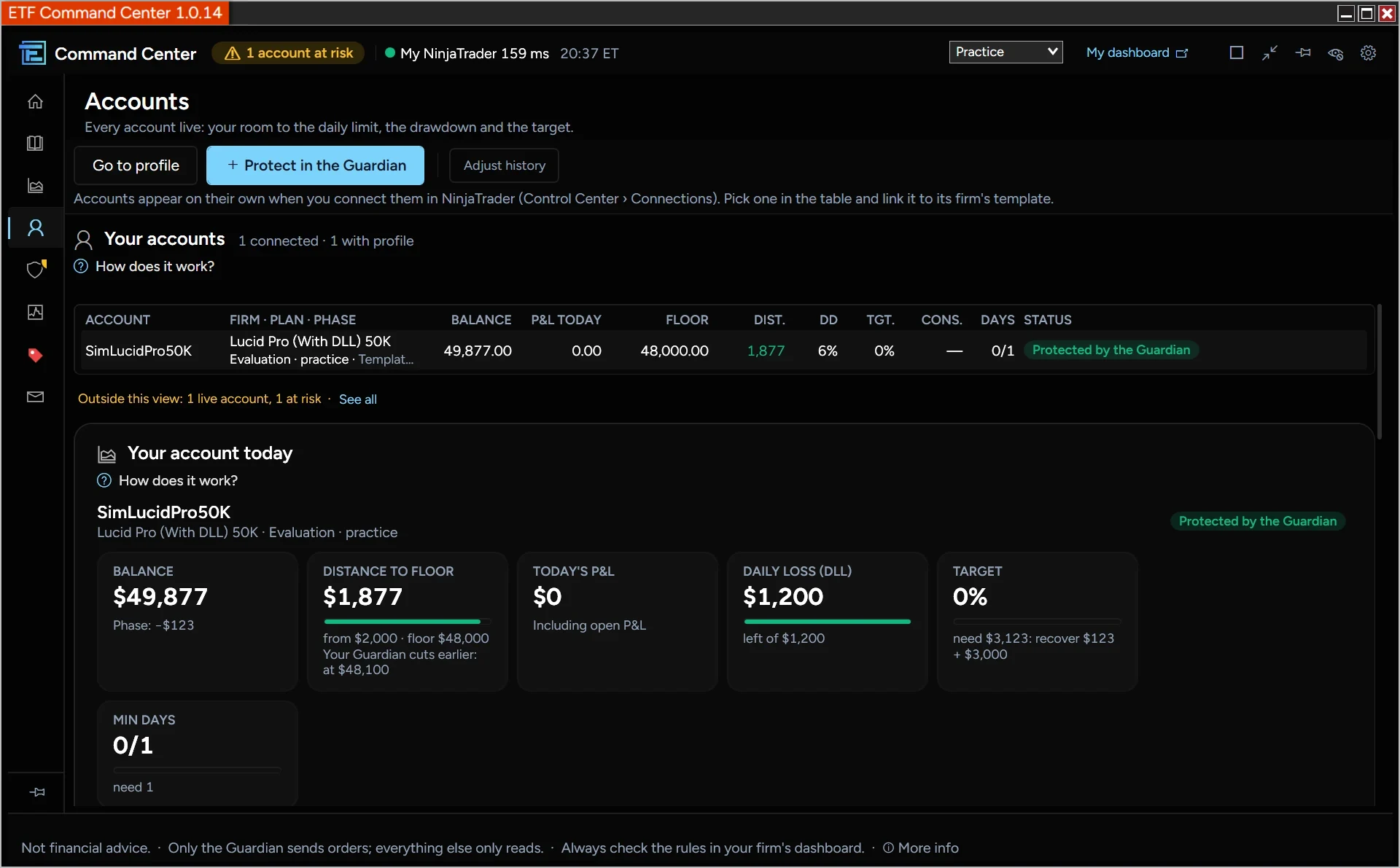
Pick the firm and plan for each account and the Command Center applies its rules, taken from the same database as our comparison tool. When you're online, they update on their own.
- Your firm's template in one click: plan, size and phase
- How far you are from the drawdown floor
- How much you can still lose today
- How much you still need for the target
- Consistency and traded days
- Match the floor and the history with what your firm says
- Manual rules if your firm isn't listed or has changed something
And more, without leaving NinjaTrader
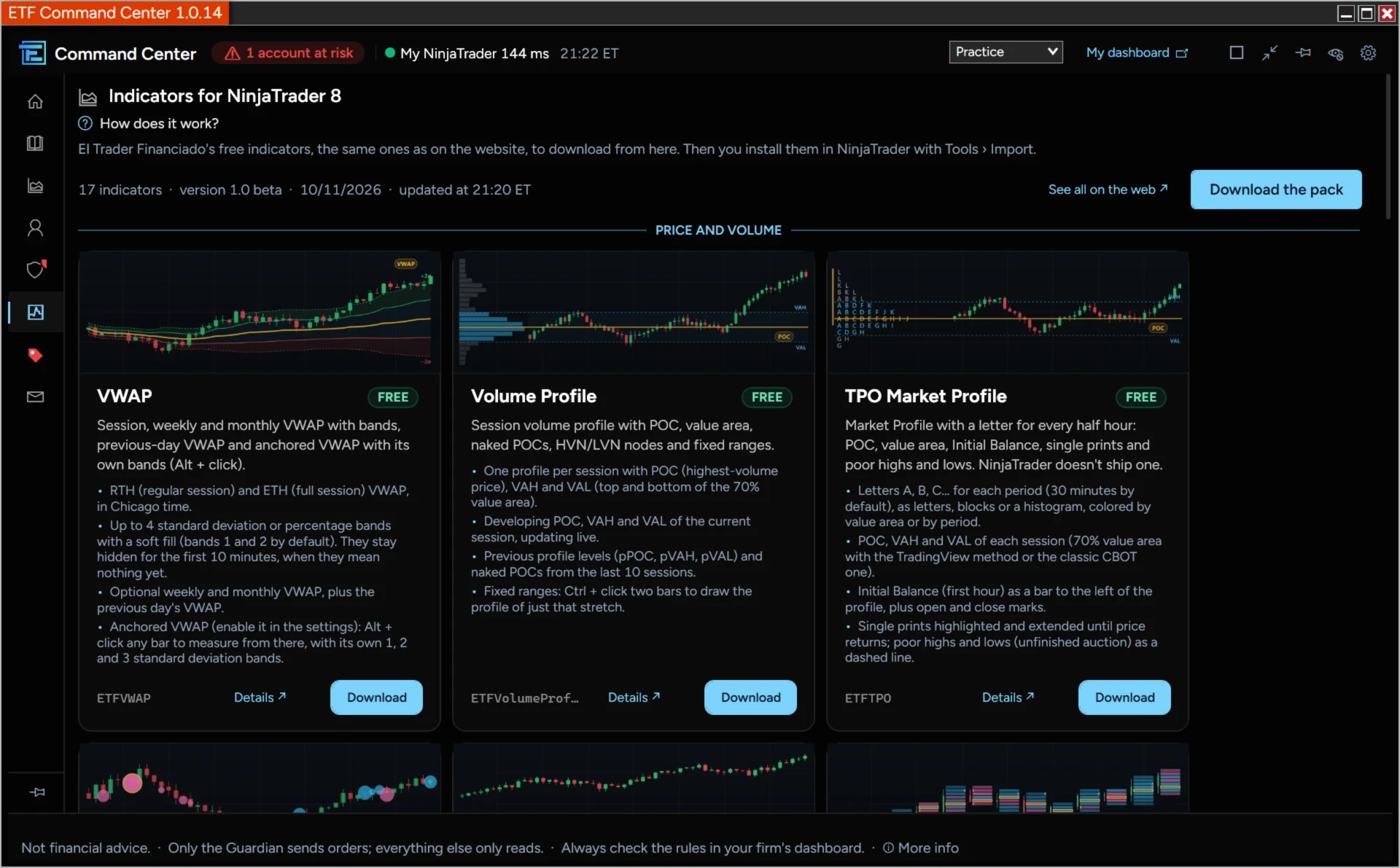
- Free indicators. 17 indicators for price and volume, order flow, smart money, trend and risk management, each one with its page and its download.
- Discounts. The current offers from each prop firm, the same ones as on our website, with the price of each size already with the code applied. The code copies in one click.
- Help and messages. Send us a question, a bug or an idea from the Command Center itself. We reply right there.
Why the Command Center
- Truly free. No paid version, no subscription and no sign-up.
- Everything in one window, inside NinjaTrader. Journal, Track Record, Guardian and rules together, instead of a separate program for each thing.
- Built for prop firms. It comes with the rules of the plans from the firms we compare, and they update on their own.
- Nothing to log by hand. It reads what NinjaTrader already saves: no exporting or uploading trades to any website.
- Your trades don't leave your PC without your permission. It never asks for your firm's login, and your trades don't leave your computer unless you connect your journal to the website.
- Works without internet. The Guardian, Accounts, the Summary and your stats keep working even if the connection drops.
- Updates itself. It tells you about the new version and installs it from the Command Center when you have no open positions, without losing your rules.
- In English, Spanish and Portuguese, alerts and help included.
How to install it
- Download the zip from the Command Center page and don't unzip it.
- In NinjaTrader, open Control Center › Tools › Import › NinjaScript Add-On… and choose the zip.
- When the import finishes, open Control Center › New › ETF Command Center. Follow the three-step guide: connect your account, tell it which firm it is and protect it with the Guardian.
To try it without risk, protect the Sim101 account first, using the «Simulated Data Feed» connection. You need Windows 10 or 11 (NinjaTrader 8 has no Mac version) and your account connected in NinjaTrader: Rithmic, Tradovate or your firm's connection.
This is not financial advice. The Command Center is a risk management tool and does not tell you what to trade. The Guardian reacts to what happens in your account and does not guarantee you will not exceed a limit. Always check the rules in your firm's dashboard.